Wikilinks and backlinks
Linking isn't something you do afterwards. You do it while you write, or while you jot a note — and it goes both ways automatically, with nothing else to keep in sync.
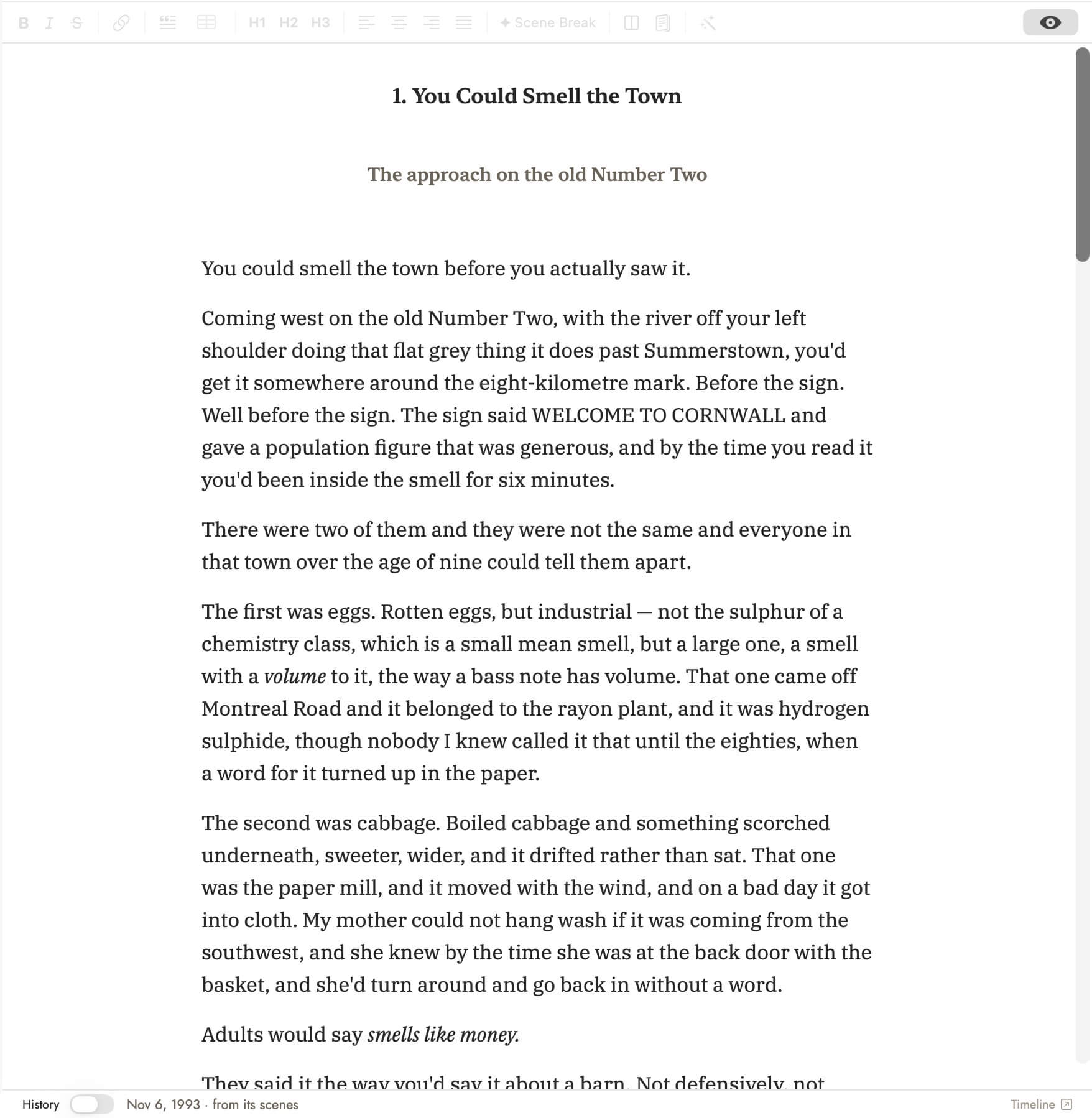 Before. Every place in this passage is already a
record in the Story Bible; nothing in the prose says so.
Before. Every place in this passage is already a
record in the Story Bible; nothing in the prose says so.
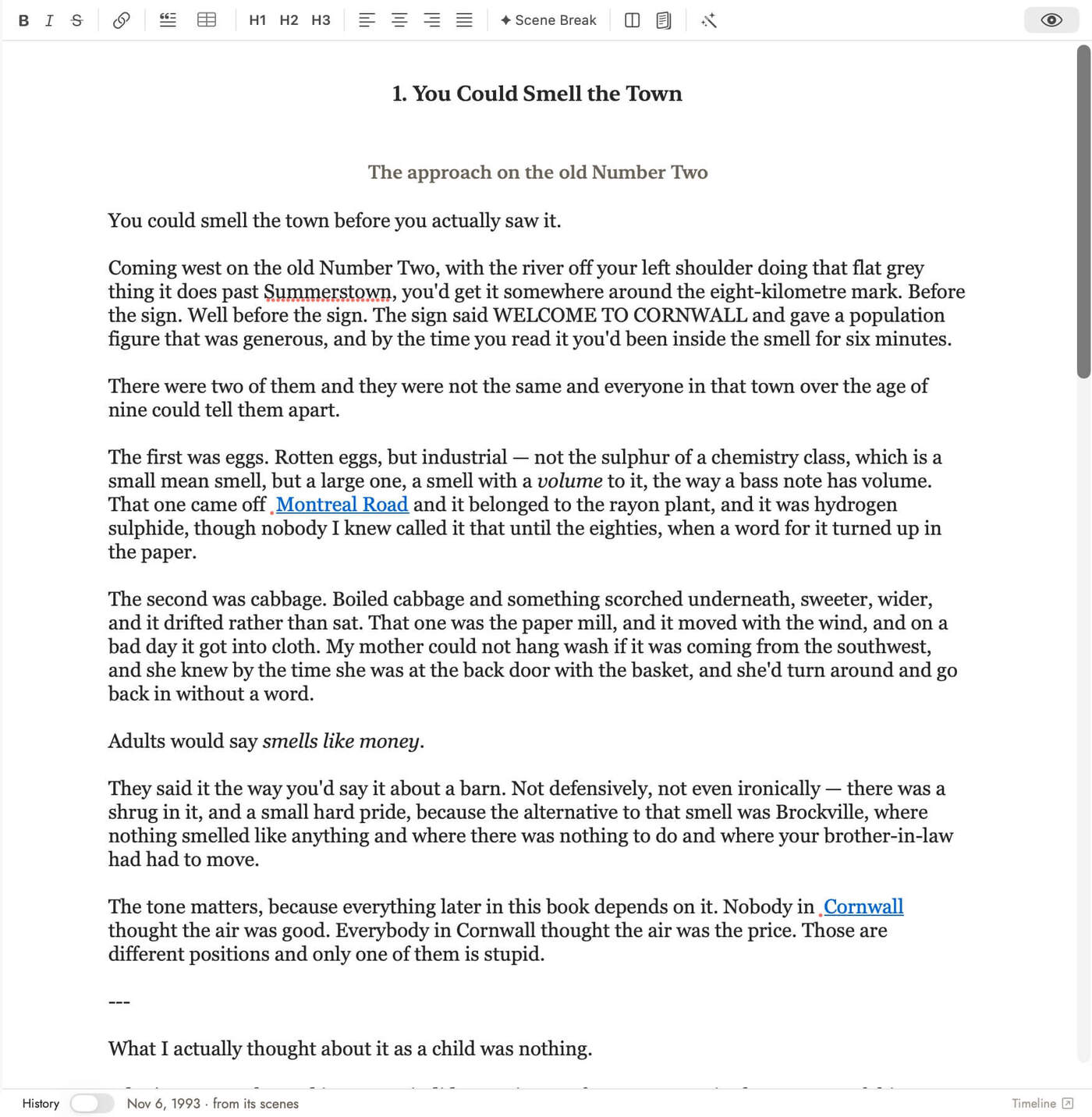 After. The link is the whole mechanism — nothing else
had to be filled in for the tools to know these scenes are set
there.
After. The link is the whole mechanism — nothing else
had to be filled in for the tools to know these scenes are set
there.
How to link
Type [[ anywhere text is Markdown — manuscript prose, a
Story Bible field, a note, a margin comment — and a completion menu opens
over every record in the project, grouped by type. Pick one, or keep typing
a name and press return, and the link lands where the cursor was.
You can also select a word or phrase already on the page, right-click it, and choose Add to Story Bible. That creates the record (or finds one that already exists with the same name) and wraps the selection in a link to it, in one step.
[[
and picking from the completion menu — the ordinary way — writes
[[character:ada-marsh|6b743d4e-...]]: a type, a slug, and the
record's UUID, with no name of its own. That link's displayed name is
looked up live by UUID every time it renders, so it updates automatically
if you rename the record later. Add to Story Bible on
text already in your prose instead writes
[[character:ada-marsh|6b743d4e-...|Ada Marsh]] — the same
type and slug, plus a third, frozen segment holding the exact words you
had selected. That frozen text does not update on
rename; it shows what you selected until you edit it by hand. Either way,
you never type this by hand — what you see and click is always just a
name.
What you get back: backlinks
Every record has a Connections tab. It lists every place that links to that record — automatically, with no separate step to run. Link a scene's prose to a location, and the location's Connections tab shows that scene. Link a note to a character, and the character's Connections tab shows that note. There's no indexing to remember to do; the link is the whole action.
This works the same everywhere a link can be written — manuscript prose,
Story Bible fields, Notes, and margin comments on the manuscript. A comment
saying "check [[Ada Marsh]]'s motive here" is not just a
reminder to yourself: it's a real, bidirectional connection between that
passage and her record, visible from either side.
What a link actually stores
Worth spelling out, because the mechanics decide something that will otherwise surprise you. A wikilink takes one of three shapes on disk:
| Shape | What it is |
|---|---|
[[event:blizzard-dinner]] |
Slug only. Fragile — if the record's slug changes, the link breaks. |
[[character:jeffrey-mcdonald|6b743d4e-…]] |
Slug plus UUID. Durable, and the form Sgeulai writes whenever it knows the record's ID, which is almost always. |
[[character:jeffrey-mcdonald|6b743d4e-…|Jeff]] |
Slug, UUID and a frozen display segment — what the editor shows in place of the record's own name. |
You never type any of this by hand. Autocomplete and Add to Story Bible write it for you, and what you see and click is always just a name. But which shape gets written depends on how you made the link.
The one behaviour worth knowing before it surprises you
Typing [[ and picking from the menu makes a
link with no frozen display segment. Every time it is drawn, Sgeulai looks the
record up by UUID and shows its current name. Rename the character and
every link made this way follows, everywhere, with nothing for you to do.
Using Add to Story Bible on text already in your prose makes a link with a frozen display segment — the exact words you had selected, kept permanently as what that link shows. That is deliberate: if you wrote “Jeff” and wrapped it, the app takes you to have meant “Jeff”. This link will not update if you rename the record.
Unlinked Mentions: the same question, the other way round
Backlinks report what does point at a record. Find Unlinked Mentions, directly beneath them on the Connections tab, reports what should and does not — every place the prose names this record without a wikilink.
![A character record, Bertha Shirley, open at its Connections section in Full view. Under Links, "Linked from" shows one scene, "Anne’s history on the shore road". Beneath it "Unlinked Mentions" carries an orange count of 4, and four hits are listed, each with a "Link" action at the right: Bolingbroke High School — Membership, matching "Bertha Shirley"; Bolingbroke High School — Membership again, matching "Bertha"; "died of fever" — Summary, matching "Bertha Shirley"; and "gave up teaching" — Summary, matching "Bertha". Each row quotes the sentence it found. Below them sit "Link All 4 Mentions" and "Scan Again", then the explanatory paragraph: "Places the manuscript or Story Bible names this record without a [[wikilink]] — including another record’s own biography, history, or notes. Linking them makes the mention show up in backlinks, scene context, and the relationship graph. Matches whole words only, against the record’s name, short name and aliases."](../img/unlinked-mentions.png) Each hit can be linked on its own, or Link All does the
lot. A record can appear more than once — the scan matches the name, the
short name and each alias separately. The list shows the first thirty and says
how many more there are.
Each hit can be linked on its own, or Link All does the
lot. A record can appear more than once — the scan matches the name, the
short name and each alias separately. The list shows the first thirty and says
how many more there are.
It runs on demand rather than continuously — scanning every section's prose on every redraw would be too expensive — so the result is cached until you ask again with Scan Again.
It reaches further than the manuscript. The scan covers every prose field in the project: a Location's history, a Character's biography, another record's notes. A biography that names a second character by hand is exactly what this catches, and exactly what you would never find by reading the manuscript.
Matching is whole words only, against the record's name, its short name and any aliases. It is not offered on scenes, chapters or notes — those are not record types prose names the way it names a person or a place, so the button simply is not there.
A note-taking practice, if you want one
A note with no links is just a note. A note linked to the records and passages it's actually about becomes something you can find again from either end — open the record, and the note is right there in Connections, whether you remembered writing it or not. That's the whole practice: link as you go, and let the record's own Connections tab be where things resurface, rather than trying to keep a separate index of what you've written where.