Reading the manuscript with AI
Sgeulai can read your manuscript and build the Story Bible from it. The important thing to understand is not how it works but what it is allowed to write down without asking.
Everything writes straight in
When Sgeulai reads your manuscript, everything it finds — facts, like a character existing or two people being related, and interpretive readings, like what someone is afraid of or what a scene is for — writes straight into the Story Bible. There is no review queue to work through first.
The safety net: every raw response is archived
Before anything is written, the model's raw response is saved to disk — inside Sgeulai's own container's Application Support folder, in a subfolder named "AI Extractions." If a run writes something wrong, or a response fails to parse and the section is skipped, the text the model actually returned is still there — and Replay Archived AI Results… (below) reads it straight back into the Story Bible without paying for the API call again.
Replay Archived AI Results…
Re-reads responses from an earlier run into the Story Bible. No API call is made and nothing is charged — the tokens were paid for the first time. Use it when a run's results were lost: cleared by a replacing run, dropped by a bug, or never written because the response failed to decode.
The picker groups responses into runs by when they were saved, and preselects the most recent one, which is usually the one worth recovering. Only the passes that carry a Story Bible can be replayed, along with the scene split and Crush Report a full read saves beside them; anything else, a cast index say, is a different shape and is shown greyed out. The newest Crush Report in the run you pick rewrites the report note.
A full project backup is also saved automatically before a replacing run — see The Tools menu ▸ Show Automatic Backups.
AI Readings
Propose Scene Splits… (below) is the one AI command left that still queues its output here for review rather than writing it straight in — a proposed split changes the shape of the book, not just a field, so it waits for Accept. If you have older readings or new-record candidates already sitting in AI Readings from before this change, they're still there and still reviewable exactly as before; nothing already queued was removed.
Which engine reads it
With a Claude API key set, Anthropic's Claude does the reading — the richest extraction available. Without one, Sgeulai falls back to the on-device Apple Intelligence model, and nothing leaves your Mac. See The Claude API key for getting one, paying for it, and exactly which of the commands below need it.
The manuscript's menu shows which engine is active as a line at the bottom: Engine: ….
The three ways to run it
All of them show the same progress sheet while they work — the section being read, out of how many, and what is being extracted. A long manuscript is sent in sections rather than whole, which is why the count is there.
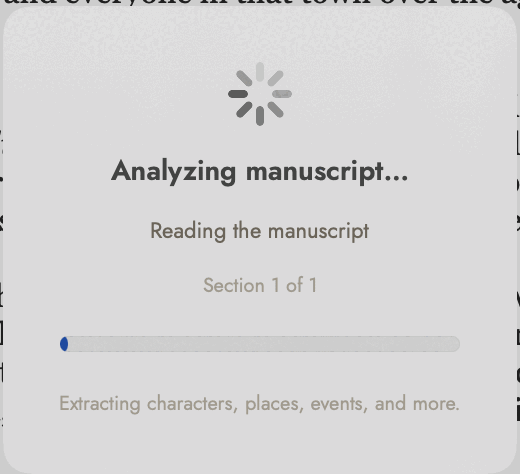 "Section 1 of 1" means the whole manuscript fitted in
one request. A longer book counts up.
"Section 1 of 1" means the whole manuscript fitted in
one request. A longer book counts up.
Analyze Manuscript with AI…
The first read. Builds the Story Bible from a manuscript that has not been read before — new Characters, Locations, Events, Organizations, Themes, and Objects, plus interpretive readings on them, all write straight in.
Re-analyze, Replacing Previous AI Results…
Clears what earlier AI runs of that manuscript wrote, then reads it again and writes the results straight in, the same as a first analysis. Records you typed or imported are kept. Use this when the manuscript has changed enough that the old reading is wrong rather than incomplete.
Re-analyze, Inserting New AI Results…
Two passes in one run. First, the same read as Analyze Manuscript with AI…, looking for Characters, Locations, Events, Organizations, and Objects the Story Bible doesn't have yet. Then it goes back over the records the manuscript already has and fills the fields that Compact and Necessities show, from what the prose says. Both passes write straight in. Nothing is deleted, but a field that already has a different answer is overwritten, not just filled in when blank.
Because it reads the whole manuscript for new records, this costs about what a first analysis or a replacing run does — no longer the lighter, blanks- only pass it once was.
Find Only What’s Missing…
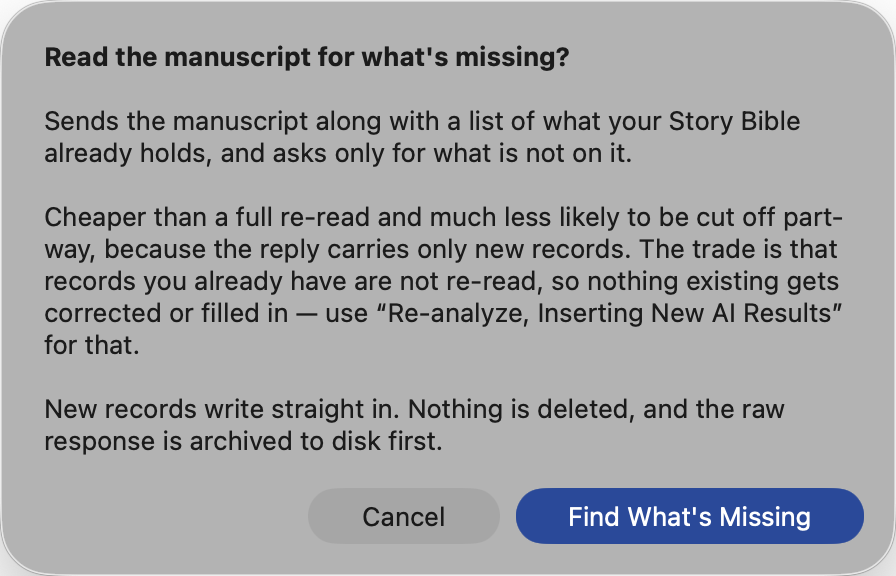 Every AI command in this menu explains its own trade
before it runs. This one's is in the third paragraph: cheap and safe, but it
will not fix anything you already have.
Every AI command in this menu explains its own trade
before it runs. This one's is in the third paragraph: cheap and safe, but it
will not fix anything you already have.
The cheap re-read. It sends the manuscript along with a list of what your Story Bible already holds — every Character, Location, Event, Organization, Theme and Object by name — and asks the model to report only what is not on that list.
Two things follow from that. It costs less, because the reply carries only new records rather than the whole cast again; and it is much less likely to be cut off part-way, since the length limit is spent on what you don’t have instead of what you do. On a book you have already analysed once, this is the one to reach for when you have added chapters and want to know who is new.
The trade is that records you already have are not re-read. Nothing existing gets corrected, enriched, or filled in — for that, use Re-analyze, Inserting New AI Results…. Relationships and dates are still reported, including ones that connect a new record to an existing one, which is often the most useful thing a second pass finds.
One narrow exception: a chapter or scene with no in-story date — when it happens in the book’s own time, not when it was written — is asked for just that one field. It is the only existing-record field this run ever touches, kept this small on purpose so the command stays the cheap, narrow one; everything else about an existing chapter or scene still waits for Re-analyze, Inserting New AI Results….
New records write straight in, nothing is deleted, and the raw response is archived to disk first like every other run. If the model reports something you already have anyway, it is dropped on the way in rather than duplicated.
Scenes, before it reads
A book imported as chapters only has no scenes, and a good deal of what the analysis reads is kept per scene — what each one is for, what turns in it. So Analyze Manuscript with AI… and both Re-analyze commands begin, when Claude is the engine, by giving every scene-less chapter its scenes:
- A chapter with its own break marks is split on them, free.
A line holding nothing but a row of asterisks (
* * *,***), dashes, a lone#,⁂or§is taken as the break you already put there. Nothing is sent for that chapter, and the mark itself is dropped. - A chapter with no marks goes to Claude, one chapter at a time, asking only where each scene genuinely starts — a jump in time, a change of place or point of view — not for any of its text. The chapter is then cut at those points from your own prose, so no word changes; if a start can't be found exactly, that chapter is left as it was. A chapter that reads as one continuous scene stays one.
Unlike Propose Scene Splits, this writes straight in, because the read that follows needs the scenes to exist. A project backup, with your prose in it, is saved first. The run's closing alert says how many chapters it split, and how many of those were on your own marks. Find Only What’s Missing doesn't do this, and neither does the on-device model.
Propose Scene Splits…
The same scene-finding, as a separate command that waits for your review: chapters that have never been split into scenes get a proposed set of scene breaks, each cut from the chapter's own text at the point the model says the scene starts, with a short title. Nothing is created outright — proposals wait for review the same way AI Readings do, and accepting one is what actually turns the chapter's prose into real scene records.
The Crush Report
A full read with Claude ends by writing a Story Bible Note called Crush Report: ‹manuscript title› — the page an author wants before sending a book out, in three lists:
- Contradictions — where the book disagrees with itself: an age that doesn't add up across the years the book says passed, a distance that changes, a name spelled two ways. Every side is quoted with its chapter, with the reason they can't all be true.
- Typos and stray text — misspellings, missing or doubled words, a passage that appears twice, a note you left yourself. Dialect, period spelling and a character's voice aren't flagged, and neither is style.
- Fact checks — real-world claims that look wrong or doubtful, with what is likely correct and how sure the model is. An invented world is only checked against itself.
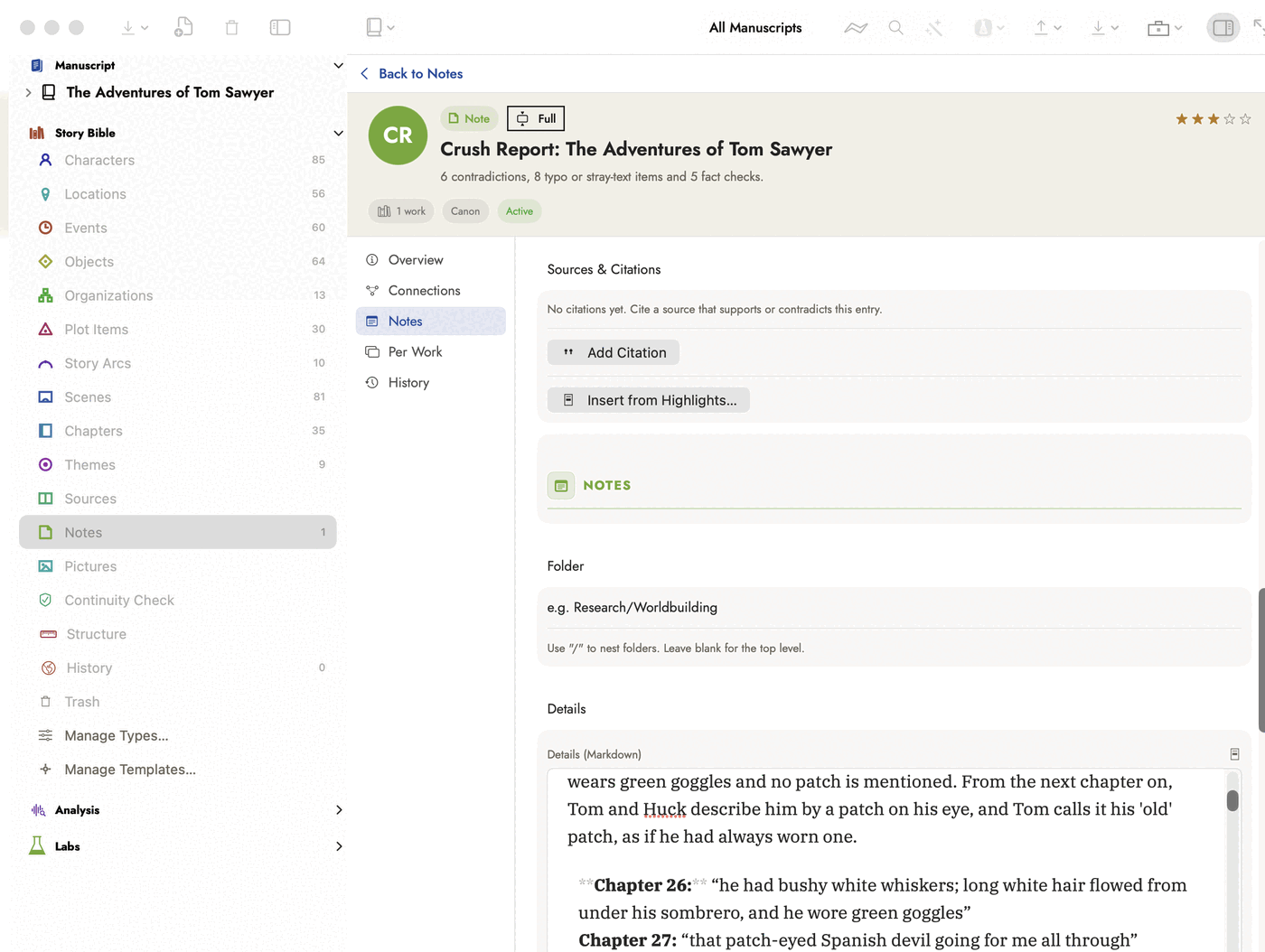 The counts of all three lists are in the summary line.
The report itself is markdown in the note's Details field, so you read it by
scrolling.
The counts of all three lists are in the summary line.
The report itself is markdown in the note's Details field, so you read it by
scrolling.
Contradictions usually sit chapters apart, so each section read also lists that section's checkable claims — dates, ages, durations, counts, places, who was present, physical details, spellings — and one last request compares the whole list with the whole book, checking each candidate against the page before reporting it.
Written by Analyze Manuscript with AI and both Re-analyze commands when Claude is the engine. Not written by Find Only What's Missing, or by the on-device model. It costs one more request, and each full read replaces the report rather than adding another; a Note you made yourself with the same name is left alone.
Review in Word
Open the report and choose Review in Word… from its Record Actions menu to save a Word copy of the manuscript marked up for review. Each contradiction becomes a margin comment on every side it quotes, numbered "(1 of 2)" and naming the other chapters. Each fact check and each typo that needs a decision becomes a comment with the concern or suggestion. A typo with one plain correction becomes a tracked change on the word itself, ready to accept or reject on Word's Review tab.
Comments are authored "Crush Review", so Word can filter them from your editor's. They sit on the whole paragraph holding the quote; a quote that can't be found goes on the first paragraph of its chapter. A correction that would cut through italics or bold becomes a comment saying what to change. Nothing in your manuscript in Sgeulai changes, and making the copy costs no requests: it reuses the report.
What a run costs, and the spending limit
Every command that sends a manuscript to Claude shows its likely cost before anything is sent — on every run, since the figure is different for every book and model. Analyze Manuscript with AI… has no confirmation of its own, so it shows the price in an alert headed Use Claude for “Analyze Manuscript with AI”?, with Continue and Cancel. The other four commands already ask before they run, so the price is the last paragraph of that dialog, and there's no second question.
Beneath it: where your spending limit will stop the run — with a warning when the limit is below the top of the estimate — and a warning when the credit you've recorded on the Usage tab looks too low to cover it.
How it's worked out. On your Mac, from the manuscript's length (roughly 2.9 characters to a token), with dollars per token taken from real runs of the app rather than list prices, because most of the bill is what the model writes back. It appears instantly, works offline, and doesn't depend on your account having credit. The range is wide on purpose: a memoir yields more per page than a novel, and a reply that comes back broken is paid for twice.
| On Claude Opus 5 | Measured on a 69,544-word novel | Estimate for 80,000 words |
|---|---|---|
| Analyze Manuscript with AI… | $6.31 | about $5–9 |
| Re-analyze, Inserting (analysis, then field fill) | $8.60 | about $7–13 |
| Propose Scene Splits… | $0.58 | under $1 |
Choosing Sonnet lowers the estimate for the reading part to about 40%, in line with its price — worked out, not measured. The field fill always reads with Opus and the scene split always uses Sonnet, whichever model you choose.
The spending limit is in Settings ▸ Usage, on by default at $15 a run. One command runs under one limit — Re-analyze, Inserting's analysis and field fill share it. It's checked before each request against Sgeulai's own running estimate, so requests already under way still finish and a run can end slightly over. A run that reaches it sends nothing more and keeps everything it had already written; the closing alert says which sections weren't read, that the Crush Report wasn't written, or that the field fill's remaining records weren't read. Run the command again to read what was missed — records already written aren't duplicated. Replay Archived AI Results… costs nothing and isn't limited.
What gets sent
Only the field-filling half of Re-analyze, Inserting New AI Results… leaves out chapters marked as front or back matter — a copyright page and an acknowledgements section have nothing to say about who is in the book, and filling their fields costs you money for no answer. Its discovery half reads the whole manuscript, front and back matter included, the same as the other three runs — the first analysis, replacing a previous run, and proposing scene splits.
The manuscript is uploaded once per run and the questions are asked against that single copy, rather than the book being re-sent for every question.
Drafting a passage: Draft Here
In a scene or chapter, put the cursor where a passage should go and choose Format ▸ Draft Here…, or right-click and choose Draft Here…. Say what should happen, or leave it empty to continue the scene, pick a length, and click Draft.
The draft is written from the part of the Story Bible this scene needs, not the whole of it: who is in the scene and where, what it moves, the records its prose links to or names, the state each character is in at this point in the book, and threads still open here. With Claude it is also given the whole of the scene you're in, the end of the scene before, and a line for each earlier scene in the book — its summary, or failing that its planned outcome or purpose — so it knows what has happened so far. It never sees the earlier scenes' prose. A scene with nothing filled in adds nothing to that list, so the more of your scenes have a summary, the better it knows the story. Anything the reader only learns in a later book is left out, and so are real names behind manuscript names and your author notes.
The point-of-view character's knowledge records go in too, placed at this point in the book. A record with a Learned during event counts as learned in the first scene that shows that event, or on the event's date if no scene shows it. The model is told what the character already knows or wrongly believes, what they learn in this scene, and what they don't know yet, and is told never to let them act on what they don't know. A record about something the reader hasn't reached is left out.
What the model was given, under the draft, lists what went in.
Before you see it, the draft is checked against the Story Bible with the Continuity Check rules that read prose, as if it were already in the scene. It is also checked for anything the reader isn't meant to know yet: a draft that names a record revealed in a later book, or marked not to be revealed in this one, counts as a contradiction. Records you put in the scene yourself are exempt. If it contradicts the book — a character's eye colour, a real name, an age — it is rewritten with the contradiction pointed out, up to three attempts in all. Each rewrite is told every contradiction the earlier attempts made, not just the last one's. If every attempt still contradicts the book, you see the one with the fewest contradictions, with the contradicting words marked and each problem listed. Insert Anyway puts it in regardless, and the section's change history records that you did and what it contradicted.
Rejected drafts, under the draft, holds the attempts that weren't shown, each with its problems marked. Try Again drafts afresh but keeps what the last run learned: the new first attempt is already told every contradiction found so far.
An inserted draft is marked as AI text, like a Writing Tools rewrite, and counted as its own kind in the AI Provenance Report. Edit ▸ Undo takes it back out.
With a Claude API key, the draft is written by the Claude model chosen in Settings ▸ AI, and the sheet shows what a draft is likely to cost before you start. Without one, Apple's on-device model writes it and nothing leaves your Mac, but its drafts are much weaker and it's given far less of the Story Bible, because it can read only a few pages at a time.
Rewriting a passage: Rewrite Selection
Select the passage you want changed and choose Format ▸ Rewrite Selection…, or right-click the selection and choose Rewrite Selection…. The sheet shows the passage, takes what you want done with it in your own words — tighten it, more tension, plainer language — or nothing at all for a straight rewrite, and quotes what the run will cost.
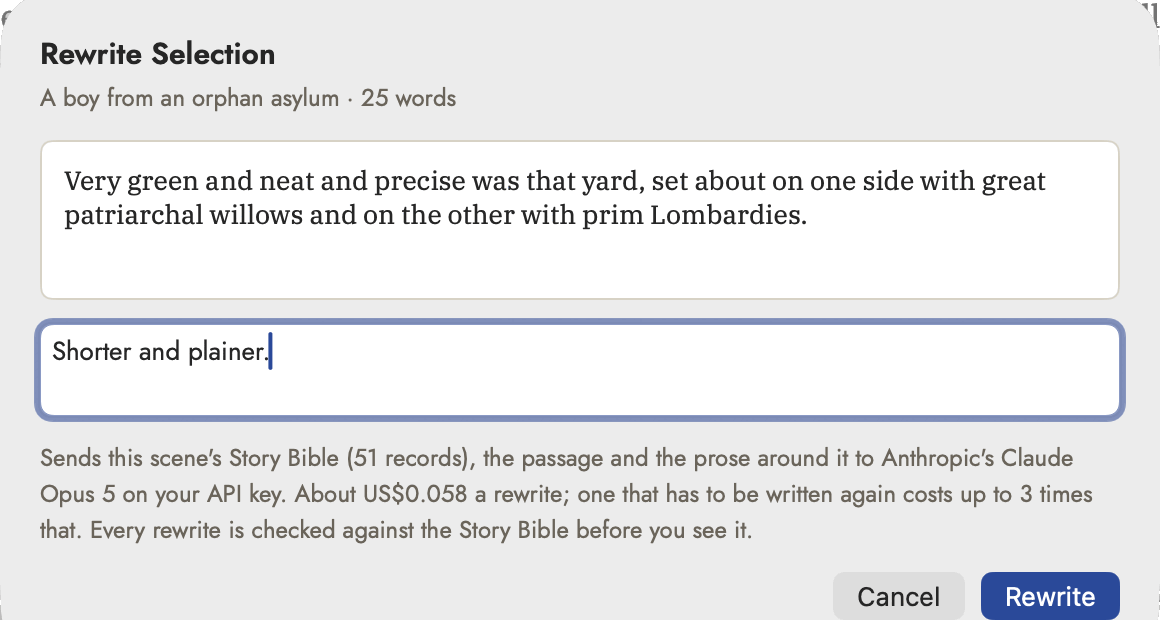 The passage is shown back to you before anything is
sent, along with what the run will carry and what it will cost.
The passage is shown back to you before anything is
sent, along with what the run will carry and what it will cost.
The rewrite arrives in the manuscript, not in a sheet. The passage stays where it is, struck through, and the new words stream in on the line below it, underlined in blue, so you read the two against each other in their own place on the page. The bar at the foot of the editor says what is happening and ends with the two answers: Accept (⌘↩) puts the new words in place of the old, and Discard (Esc) leaves the passage exactly as you wrote it.
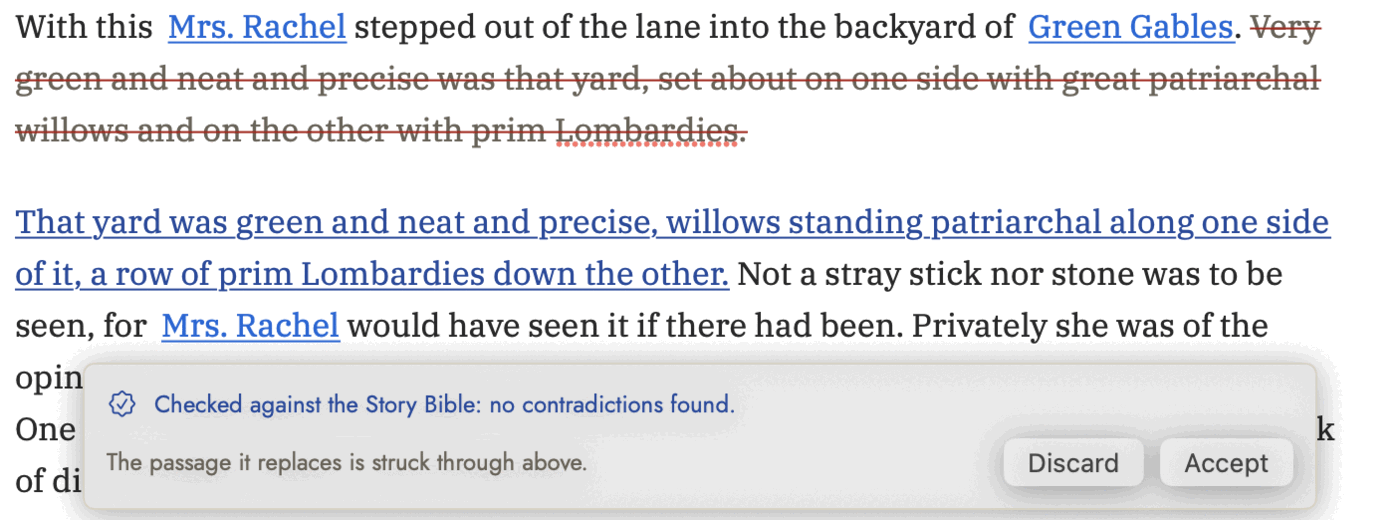 The old words and the new, in the place they belong,
with the check's verdict underneath.
The old words and the new, in the place they belong,
with the check's verdict underneath.
Typing is held while a rewrite is on screen. The two passages have to stay where they are for Accept to land on the right words, so the editor stops taking keystrokes until you have answered. Nothing is saved meanwhile: a rewrite you never answer is never written to the file, and leaving the scene discards it.
It is primed and checked exactly as Draft Here is — the same slice of the Story Bible, the same prose around it, the same rules read over the rewrite as if it were already in the scene, and the same three attempts, each told every contradiction the earlier ones made. A rewrite that still contradicts the book is offered with the problems listed in the bar, and Accept Anyway is yours to click; the section's change history records that you did, what it contradicted, and the words that were there before.
An accepted rewrite is marked as AI text and counted in the AI Provenance Report, the same as an inserted draft. Edit ▸ Undo takes it back in one step, to your own passage rather than to the marked-up version.
Asking a question: Ask Your Book
Tools ▸ Ask Your Book… (⇧⌘K) answers a question in your own words — what colour are Mara's eyes, and where did I say so? — from your Story Bible and your manuscript. Each part of the answer is carried by a quotation, and each quotation is a link: click it and the scene opens with those words selected. A quotation from a record opens the record.
Nothing that can't be traced to your book is shown. Every quotation that comes back is searched for, character for character, in the one source it was attributed to. A quotation that isn't there is thrown away — including a real one attributed to the wrong passage, and one stitched together out of two places that don't adjoin. An answer left with no quotation isn't shown as an answer at all, and what was discarded is listed underneath so you can see the check work.
When there is no answer to show you are told which of two things happened, because only one of them is about your book. None of it was really in your book means quotations came back and none of them were there — the thing a chatbot would have shown you as fact. What it read doesn't settle this means the records and passages your question's own words matched don't answer it; your book may well say it somewhere the retrieval didn't reach, so name the character, place or scene you mean and try again.
Three differences are forgiven, because retyping introduces them and they change nothing: capitals, runs of whitespace where a paragraph was reflowed, and curly quotes against straight ones. A paraphrase is not a quotation and does not survive.
It doesn't read the whole book. From the words of your question it gathers the records your question names, other records whose text those words hit, and passages of the manuscript that use them or name a record you asked about — at most three from any one scene, so one chapter can't crowd out the rest. The sheet says how many records and passages it found, and what the question will cost, before you ask. Look in narrows a series to one book.
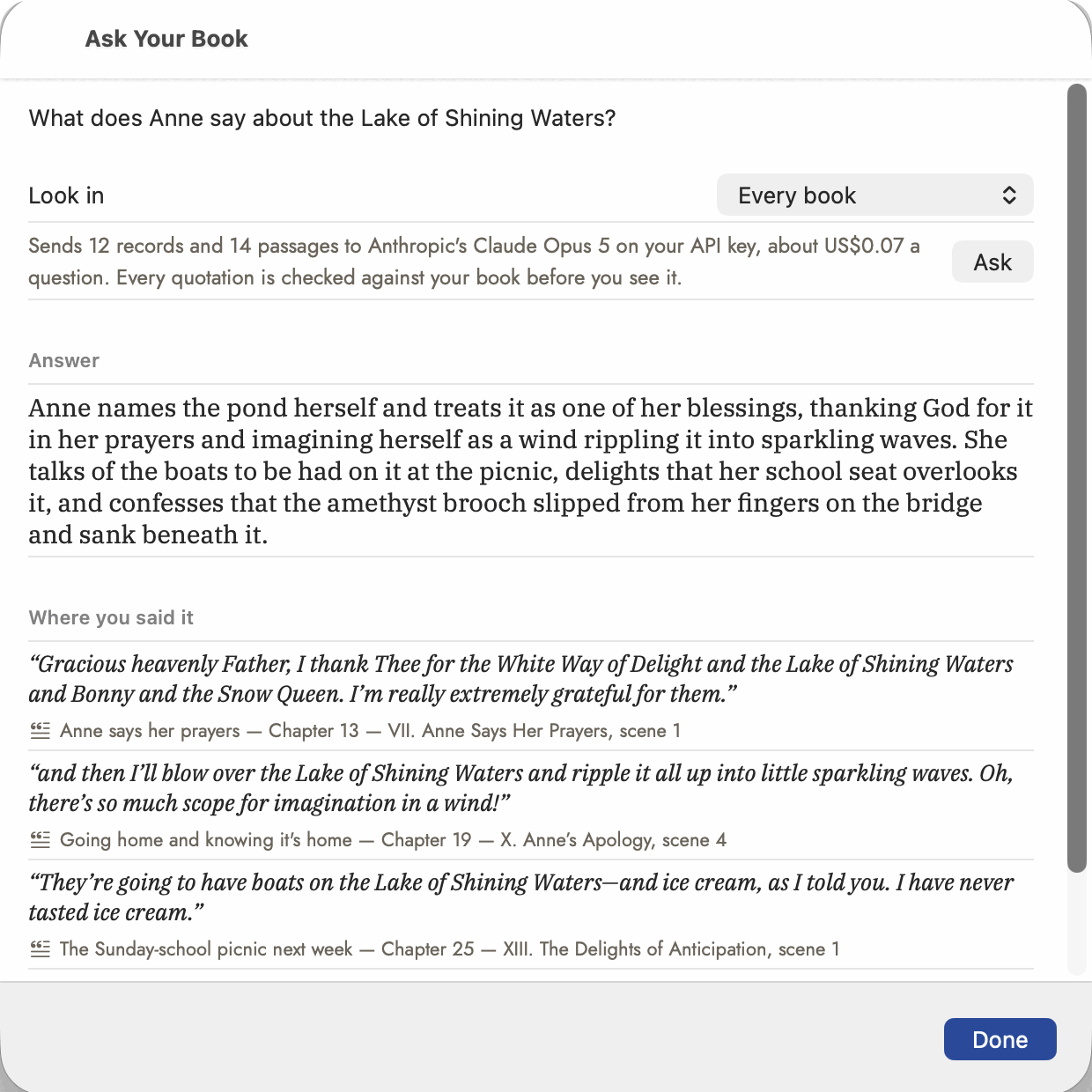 Every row names the scene it came from. Clicking one
opens that scene with the quoted words selected; a row that cites a Story
Bible record opens the record instead.
Every row names the scene it came from. Clicking one
opens that scene with the quoted words selected; a row that cites a Story
Bible record opens the record instead.
With a Claude API key, the Claude model chosen in Settings ▸ AI answers, and a second question about the same character is cheaper than the first because the sources are cached. Without one, Apple's on-device model answers from far less and nothing leaves your Mac. The checking is the same either way, and it happens on your Mac rather than in the model.
The documents an agent asks for: Submission Pack
Tools ▸ Submission Pack… writes the pitch paragraph for a query letter, the synopsis an agent means by a synopsis — the whole plot, present tense, ending included — and the series bible. Tick the ones you want and pick the manuscript.
It is written from your records and your own summaries, never from your prose. A manuscript with no scene or chapter summaries filled in cannot be written from, and the sheet says so rather than inventing a plot from a list of names.
Then it is checked, and that is the point. Each document goes through the same continuity rules that guard the manuscript, and one that contradicts the Story Bible is written again with the contradiction fed back — twice in all, because a third attempt at an eight-hundred-word synopsis costs real money and rarely fixes what the second didn't. A document that still doesn't check clean is shown with the problem printed above the text.
Three things are checked: an appearance the Story Bible doesn't give that character; a real name behind a manuscript name, which in a document going to a stranger is a privacy problem as much as a continuity one; and a name that appears in neither the Story Bible nor the manuscript.
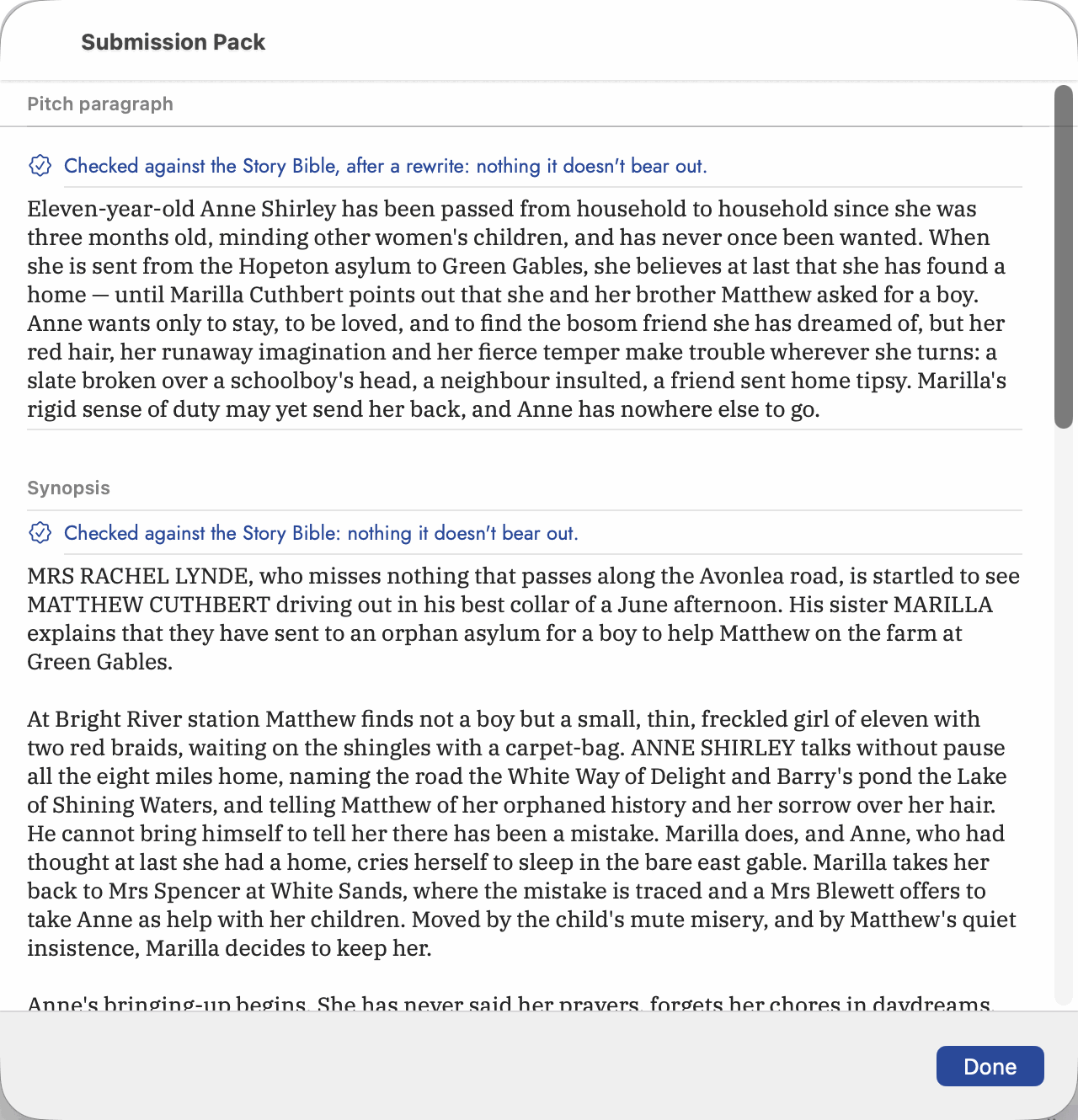 The verdict sits above each document, and says whether
what you are reading is the first attempt or the one that replaced it.
The verdict sits above each document, and says whether
what you are reading is the first attempt or the one that replaced it.
A note on trust
The analysis is a reader, not an authority. It is good at noticing that a character appeared in fourteen scenes and confident about things it has no way to know — and now that its output writes straight into your Story Bible with no review step, that confidence lands directly in your record. The archived raw response (above) is what lets you check its work after the fact, or recover from a run that got something wrong, rather than catching it before it's written.
The same thing, filed more than once
The most common way a reading is wrong isn't invention, it's duplication: the manuscript itself refers to something differently from one passage to the next, and each phrasing can come back as its own record — "Tom", "Tom the Florist" and "Tom Johanson" filed as three Characters instead of one. It isn't only people: a location called "the Beaches apartment" in one chapter and "our old place on Kippendavie" in another, or an organization named both "the paper" and "the Toronto Star," can just as easily come back twice. Scan a fresh run's results for this before trusting a count, a relationship, or a scene tally that assumes they're the same thing.
The fix is Merge — see The Story Bible's Merging duplicates section. It covers Character, Location, Event, Object and Organization records; Plot Items and Story Arcs aren't mergeable yet, and chapters and scenes never are, since combining two of those is an editing decision, not a bookkeeping one. Where it applies, merging is built for exactly this: the absorbed names stay attached to the surviving record as aliases rather than disappearing, so nothing that already refers to "Tom the Florist" breaks just because the record it points to is now named "Tom."