Features
Every major feature, in detail.
sgeulai /SHKAY-lee/ — Scottish Gaelic for storyteller.
Where there's a screenshot, it's the real thing; where there isn't yet, the frame names the exact screen it's waiting on.
The environment
The window is divided the way the work is.
Binder on the left holds your manuscripts, broken into parts, chapters and scenes, with the Story Bible beneath them. The editor sits in the middle with whatever you selected. The inspector on the right explains it — every analysis tool describes itself there in three parts: what it is, how to read it, and what to do about what it says. Everything below happens inside this one window.
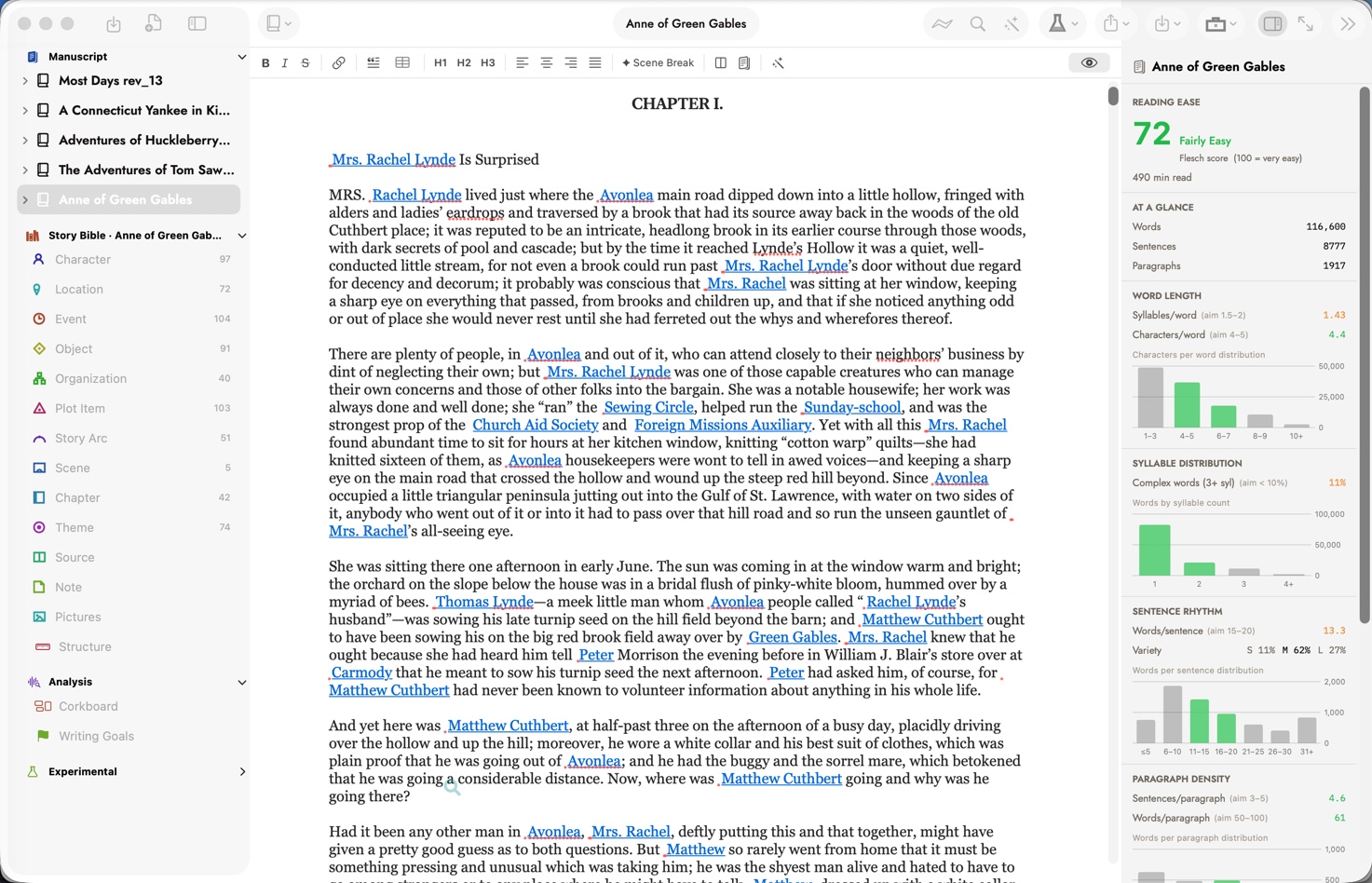
The binder (parts, chapters, scenes and the Story Bible's characters, locations, events and more) on the left; a chapter of the manuscript in the editor; and the inspector on the right, here open to the Readability tool — reading ease, word and sentence length, syllable and paragraph density, all drawn from the text itself.
Write
01 — Comments and tracked edits
Help while you write, tracked once it's used.
Inline comments sit right beside the prose they're about. When an AI edit touches a passage, it's marked in the margin — so a page that had help still shows, at a glance, exactly where.
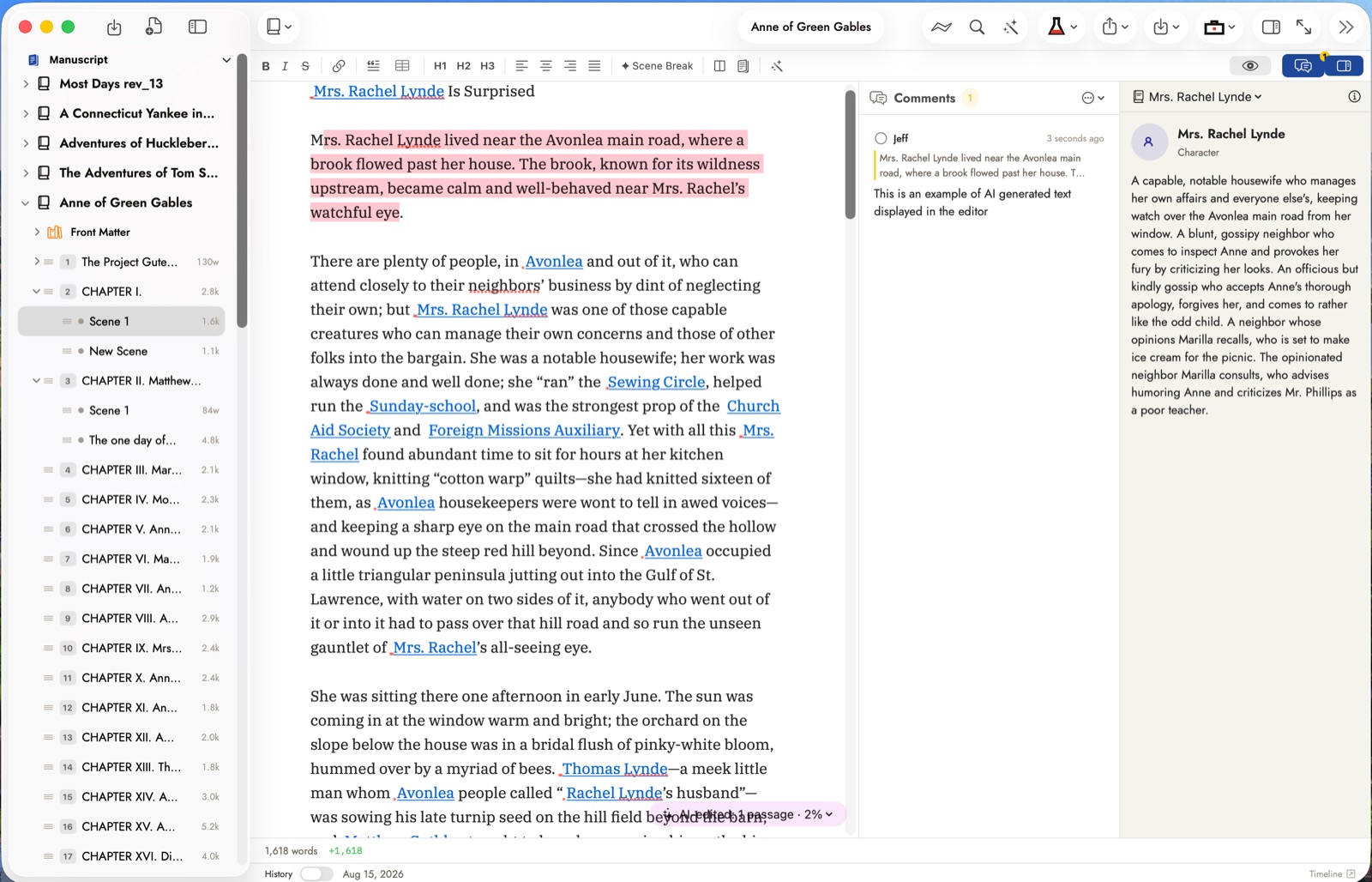
The edited passage stays highlighted in the text, with the comment that explains it alongside — and the footer's “AI edited 1 passage” indicator, so it's never a guess which sentences had help.
02 — Grammar, style and reference
Three ways to check your prose, one to look a word up.
Harper checks grammar and style live, right in the editor, entirely offline — nothing to install, and it already knows your characters' and places' names so it never flags them. Antidote plugs into the toolbar if you already use it, correcting and consulting its guides against the chapter you're in. And the Writing Inspector's word lookup puts a WordNet-powered dictionary and thesaurus one click away — pick a sense, then click a synonym to swap it straight into the text.
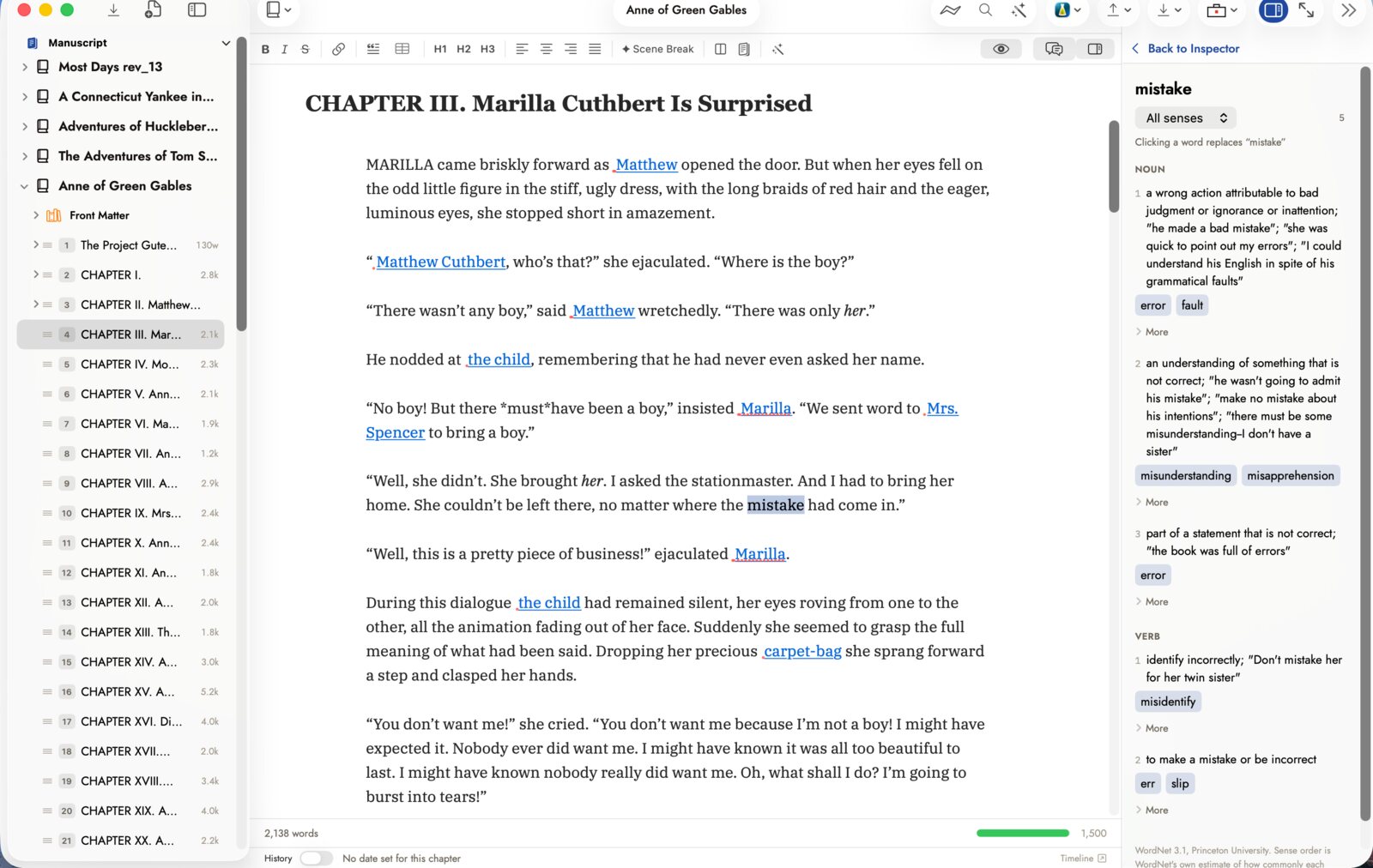
Click a word to look it up — every sense, defined, with synonyms one click away from swapping into the sentence.
03 — Wikilinks and backlinks
Link as you write. See where it's used, from either end.
Mention a character or place in the manuscript and Sgeulai offers to link it — no separate step, no breaking your sentence to go find the record. Every record's Notes tab shows its backlinks in return: everywhere it's mentioned, in prose, notes and comments alike.
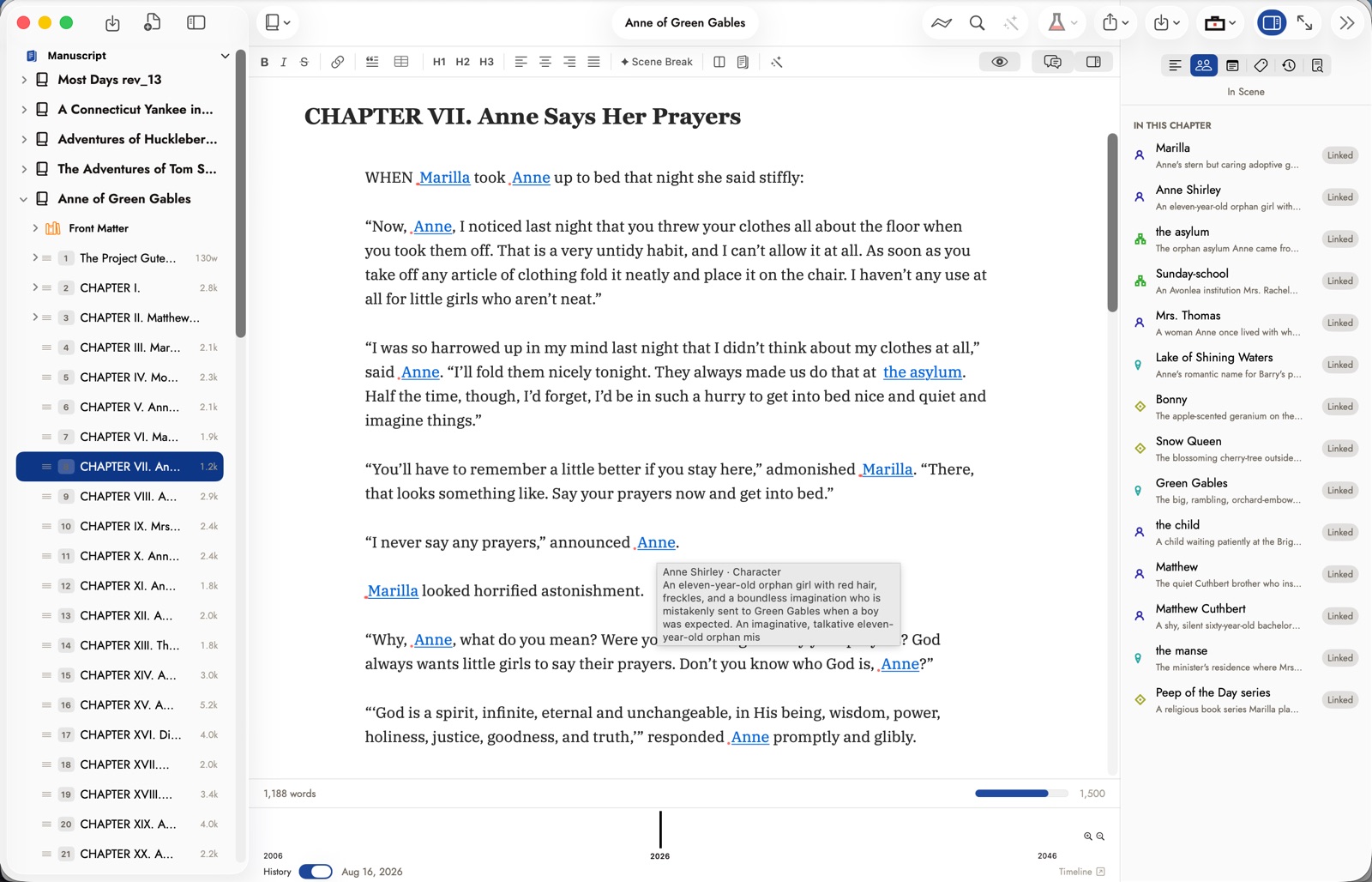
Hover a link for its preview, or check the inspector's list on the right — every character, place and object linked in this chapter, in one place.
Remember
01 — Story Bible
Everything you know about the book, beside the book.
Characters, places and threads live as records beside the manuscript, not in a separate app or a stack of notecards. Four views — Full, Compact, Necessities and one more — show as much or as little of a record as the moment calls for, and coloured marks beside a blank field show what's still missing.
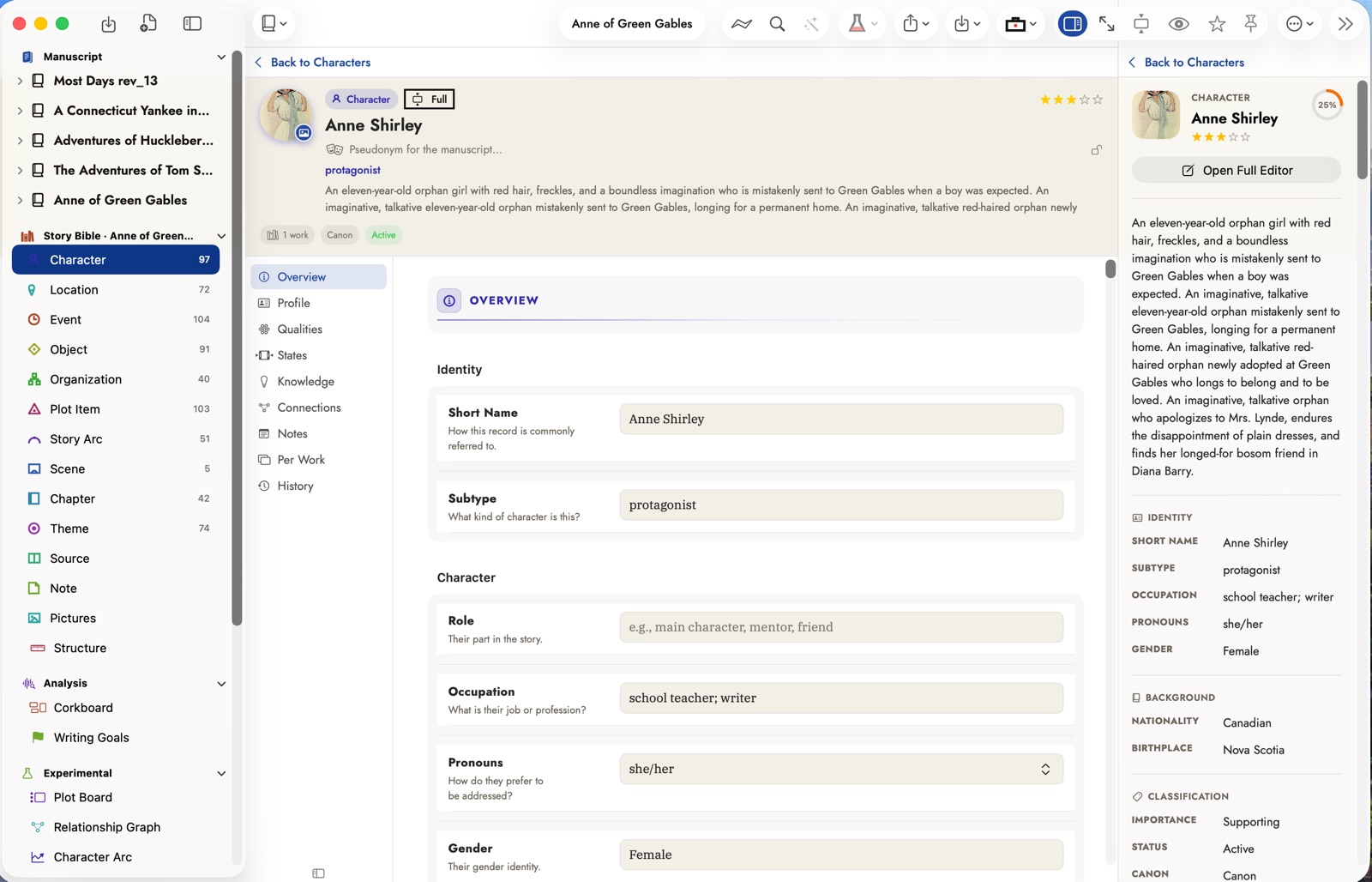
A character record in Full view — identity, background and classification, with a completeness rating in the inspector so you can see what's still missing at a glance.
02 — History
A real-world timeline beneath the story.
Import a spreadsheet of dated events, or add them by hand, and lay the real world's timeline beside your scenes and chapters. Each event carries its own category and year, and clicking one opens the details — a description, tags and a source link — right where you're writing, so a story set across decades stays straight without a separate chart to maintain.
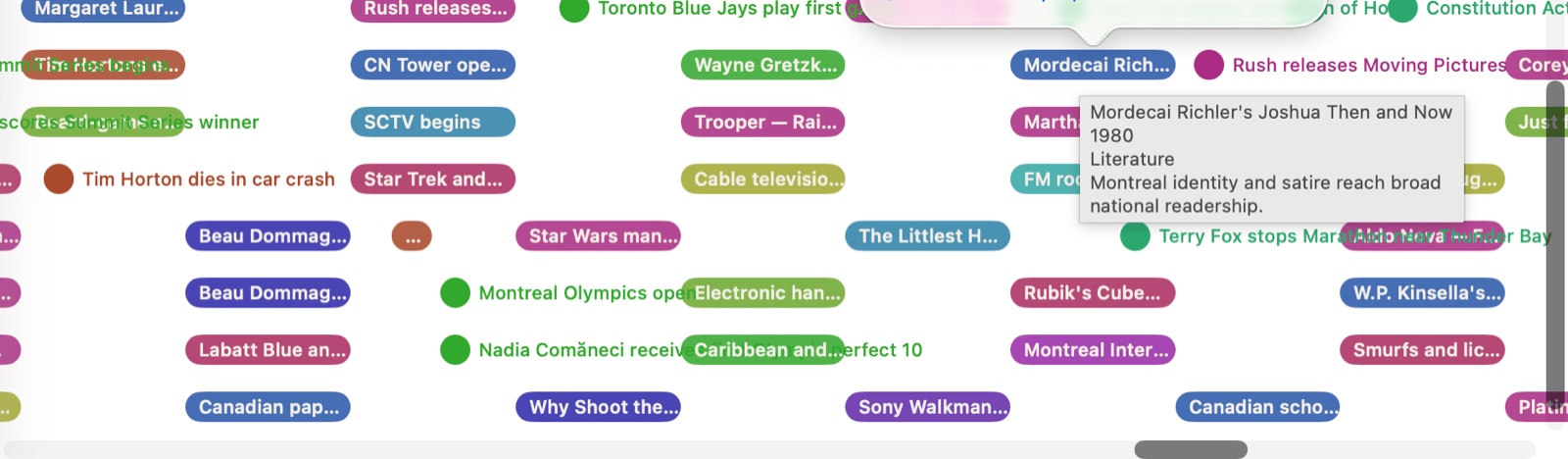
Every event is colour-coded by category, and clicking one opens its details — description, tags and a source link — without leaving the timeline.
03 — Web Clipper
Turn any webpage into a source, without leaving your browser.
Add the Web Clipper extension once — it works in Safari, Chrome, anywhere. Click it on a page and it saves the citation, a quote if you selected one, and any images you choose, straight into a Source record in the Story Bible.
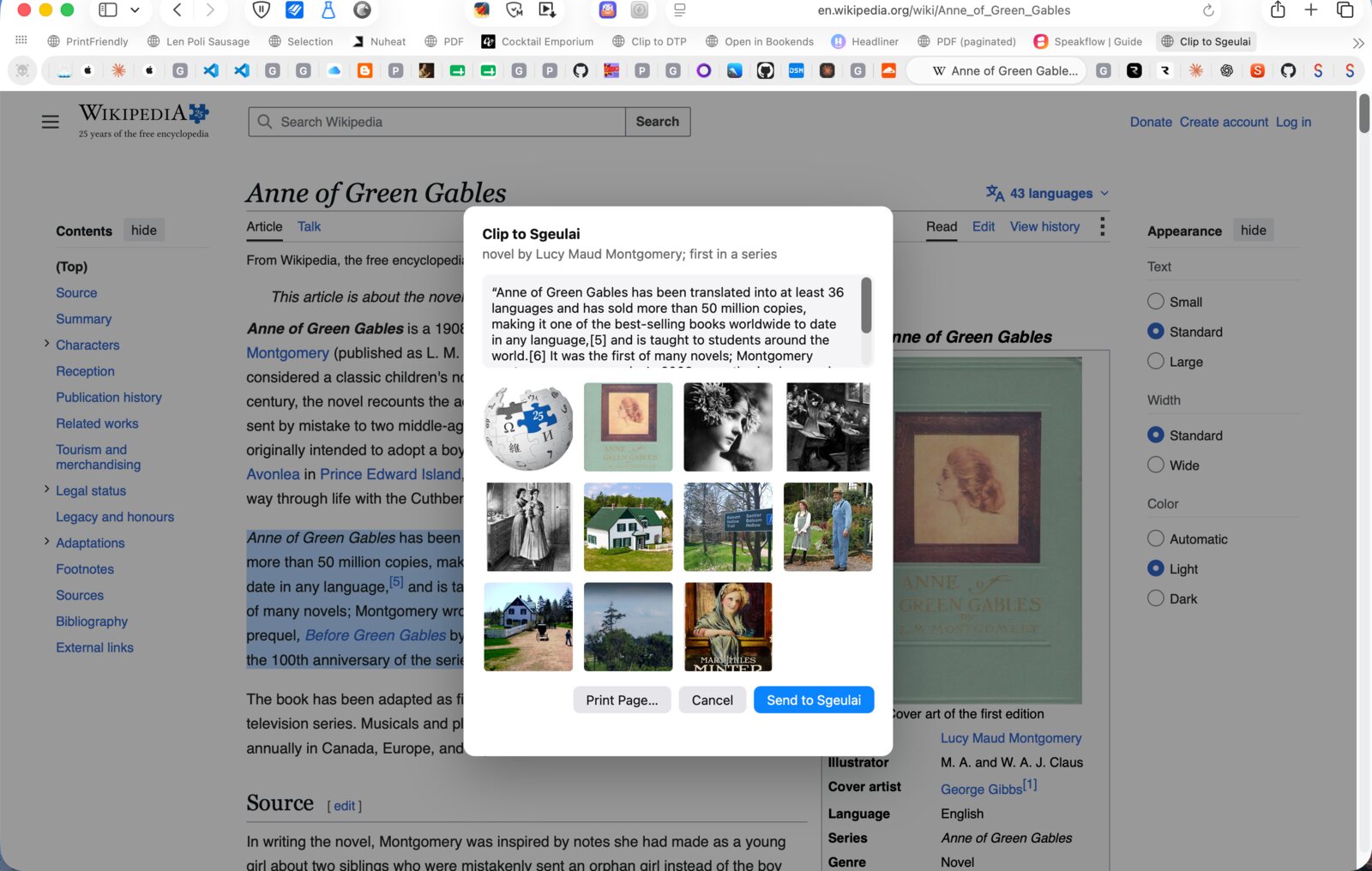
Click the extension on any page: it grabs the citation, a quote if you selected one, and any images you pick — all landing in one Source record.
04 — Idea Tools
Five ways to think a record through, before you write a word of prose.
Stuck on who a character is, or how two similar places actually differ? Idea Tools gives you five structured ways to work it out — a Context Map, a Description Web, Compare & Contrast, Cause & Effect for events, and a Scene Builder for scenes. All local, no AI or API key involved, writing straight onto the record's own fields as you fill them in.
Compare & Contrast is the one built for telling two similar records apart: pick any two, and it lines up their shared fields in the middle with what's unique to each on the flanks — read as a diagram or a scrollable list, whichever makes the difference easier to see.
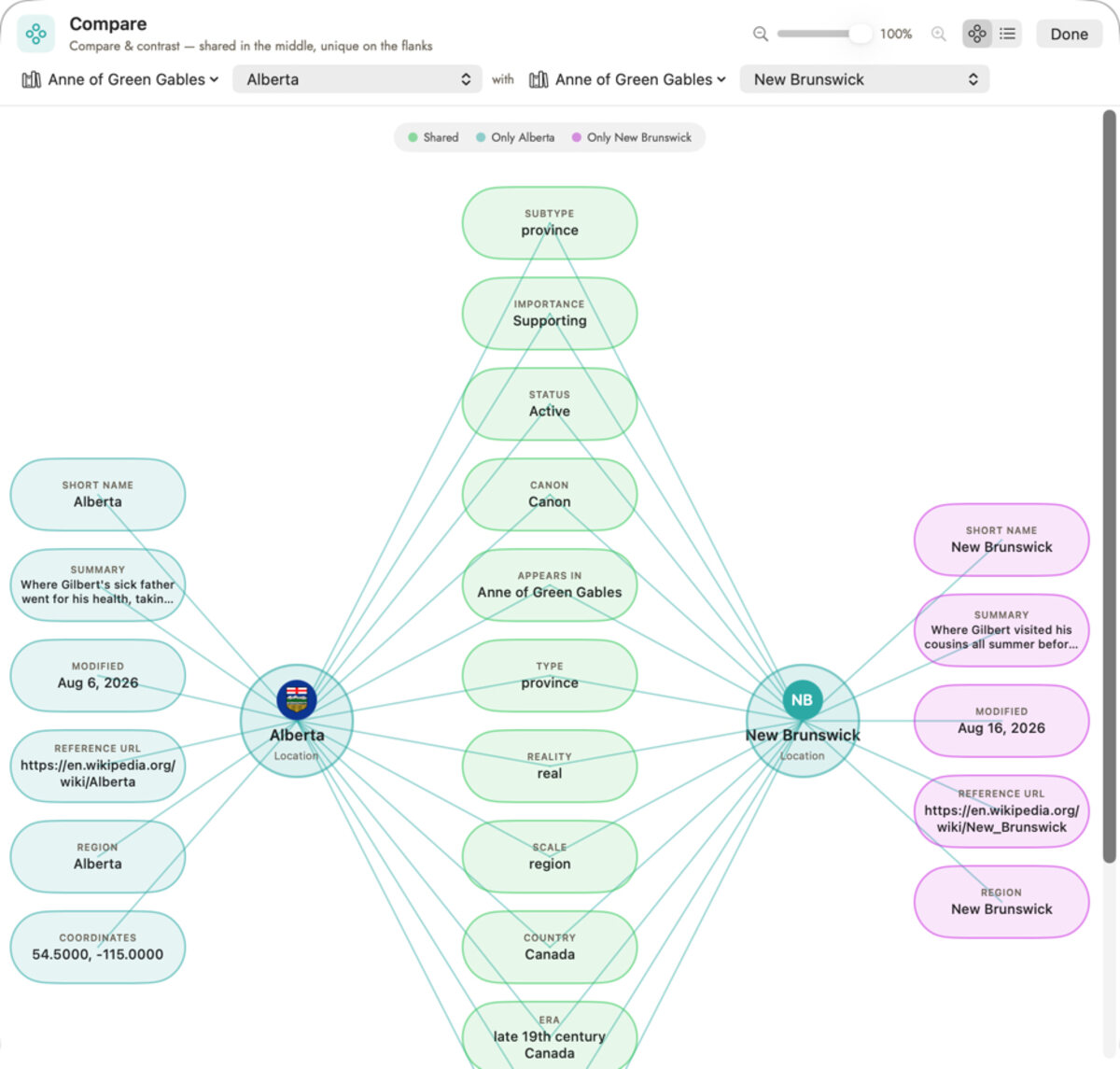
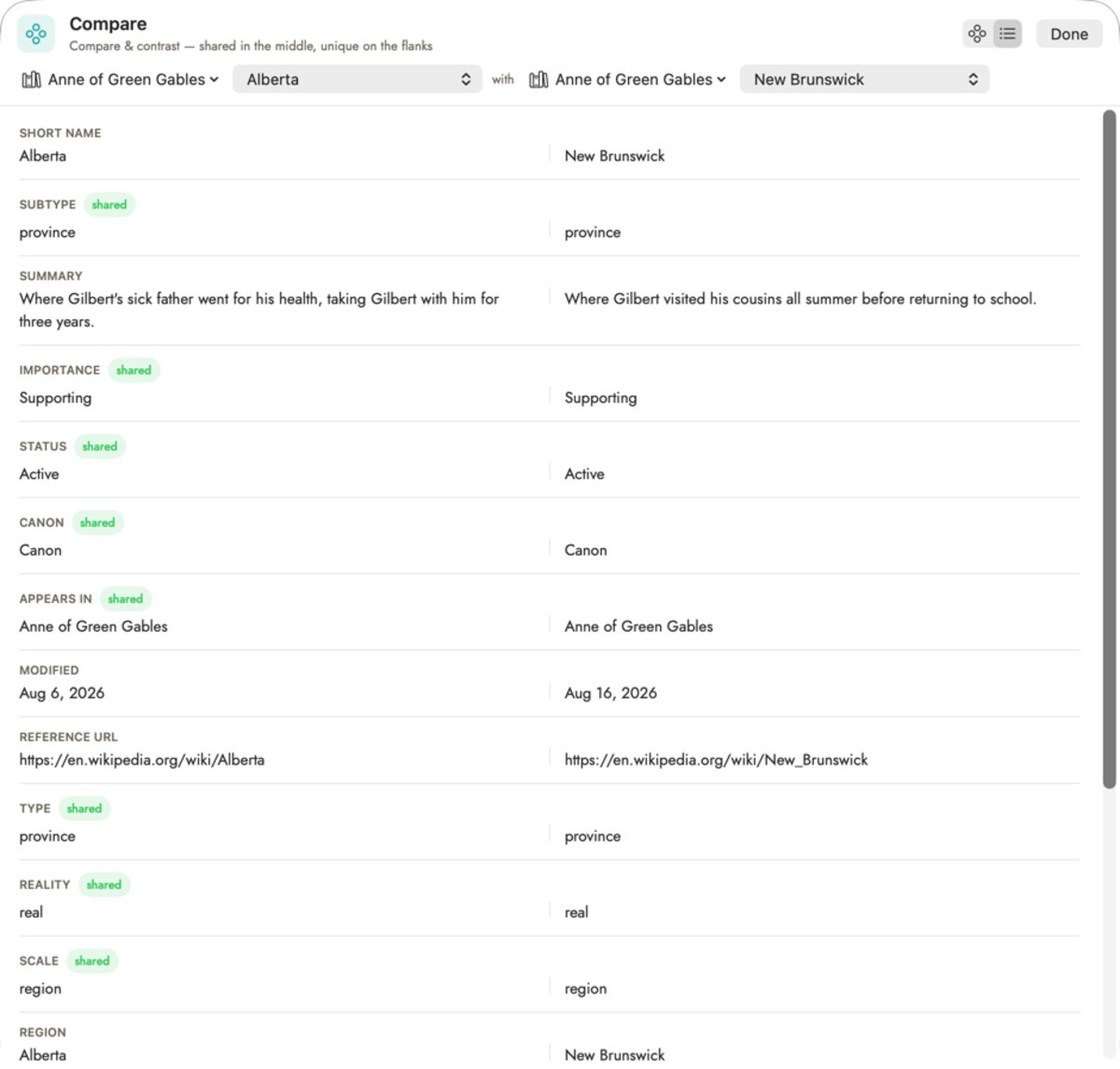
Compare & Contrast, read two ways: as a diagram with shared fields in the middle, or as a side-by-side list — the same comparison, whichever is easier to scan.
Return
01 — Analysis tools
Twenty-six ways to read what you actually wrote.
Pacing, repetition, dialogue balance and more — every view drawn from the manuscript itself, not a guess about it. Each one opens in the editor pane with its explanation waiting in the inspector beside it.
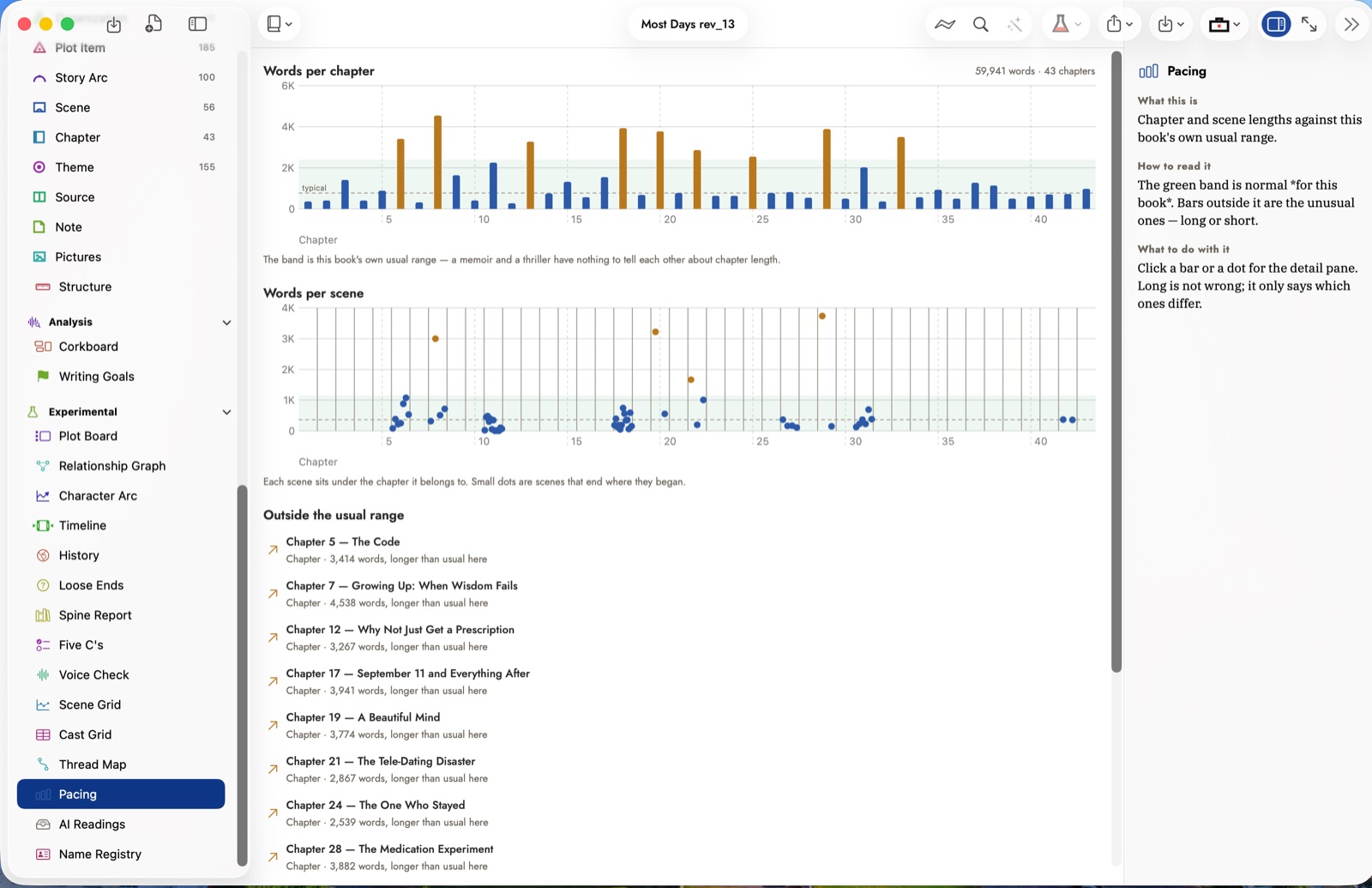
The Pacing tool: chapter and scene length charted against this book's own usual range, with every outlier chapter named below it — the inspector explains what to do about each one.
02 — AI that reads, not writes for you
It reads the manuscript. You decide what's kept.
Point Sgeulai's AI reading tools at a chapter and it proposes Story Bible entries drawn from what's actually on the page. Nothing is written down without your approval — every proposal waits for an accept or reject before it becomes part of the record.
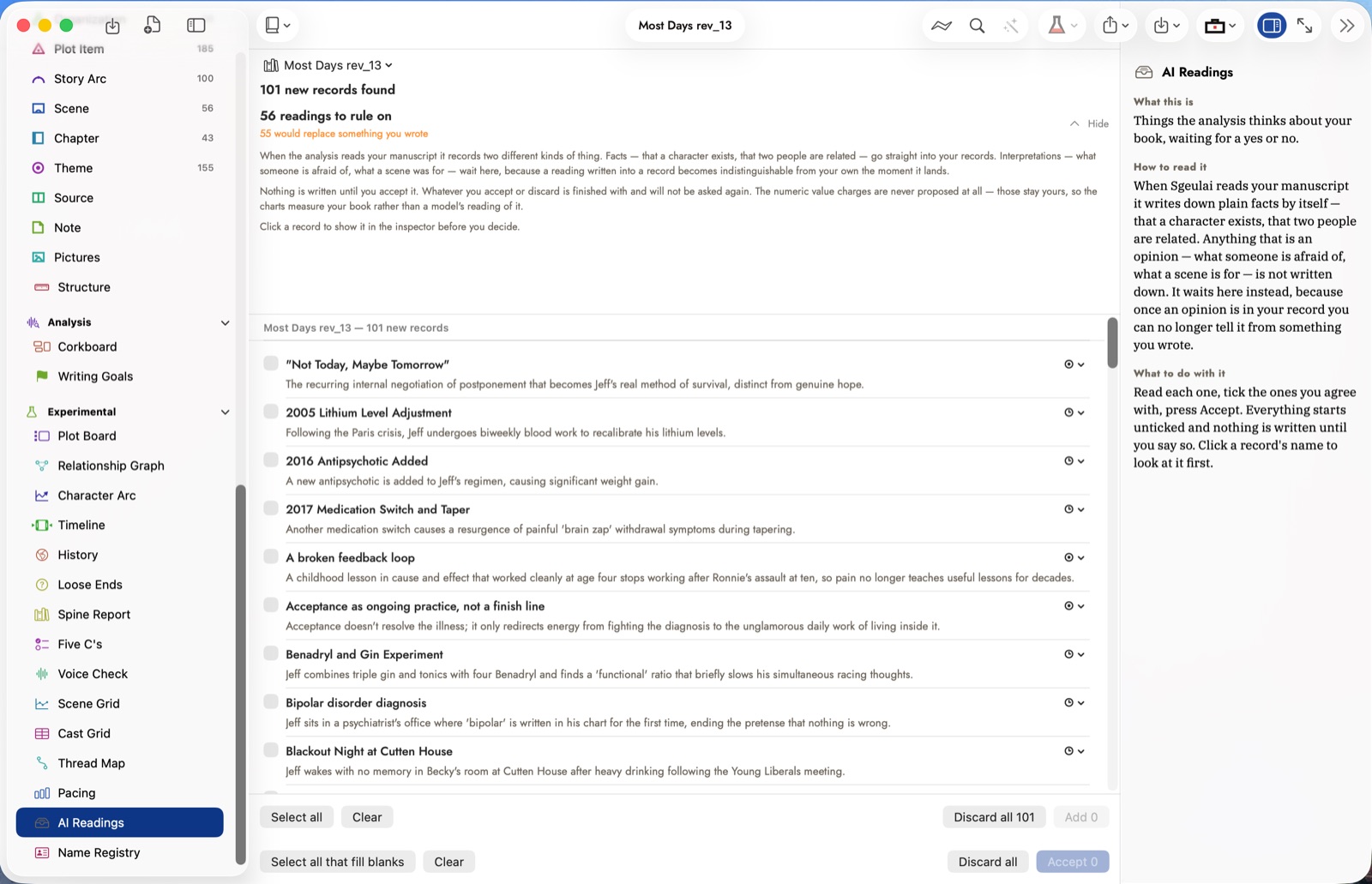
Every proposed reading waits here, unticked, until you accept or discard it — nothing joins the Story Bible until you say so.
03 — AI provenance
A report you can hand to an editor.
Export a PDF that breaks down exactly what share of the manuscript carries AI involvement — Writing Tools edits, pasted chatbot text, hand-confirmed passages — and quotes every marked span verbatim, in reading order. Built to be checked, not taken on faith.
The exported report: a summary of how much of the manuscript carries AI involvement, every marked passage quoted verbatim, and a methodology section that states plainly what it can and can't detect. Click to zoom in.
04 — Continuity check
It notices when the story contradicts itself.
Checks eighteen kinds of inconsistency — a character's eye colour changing, two people booked into the same scene twice, someone travelling further than the timeline allows — all worked out locally, no AI or API key required.
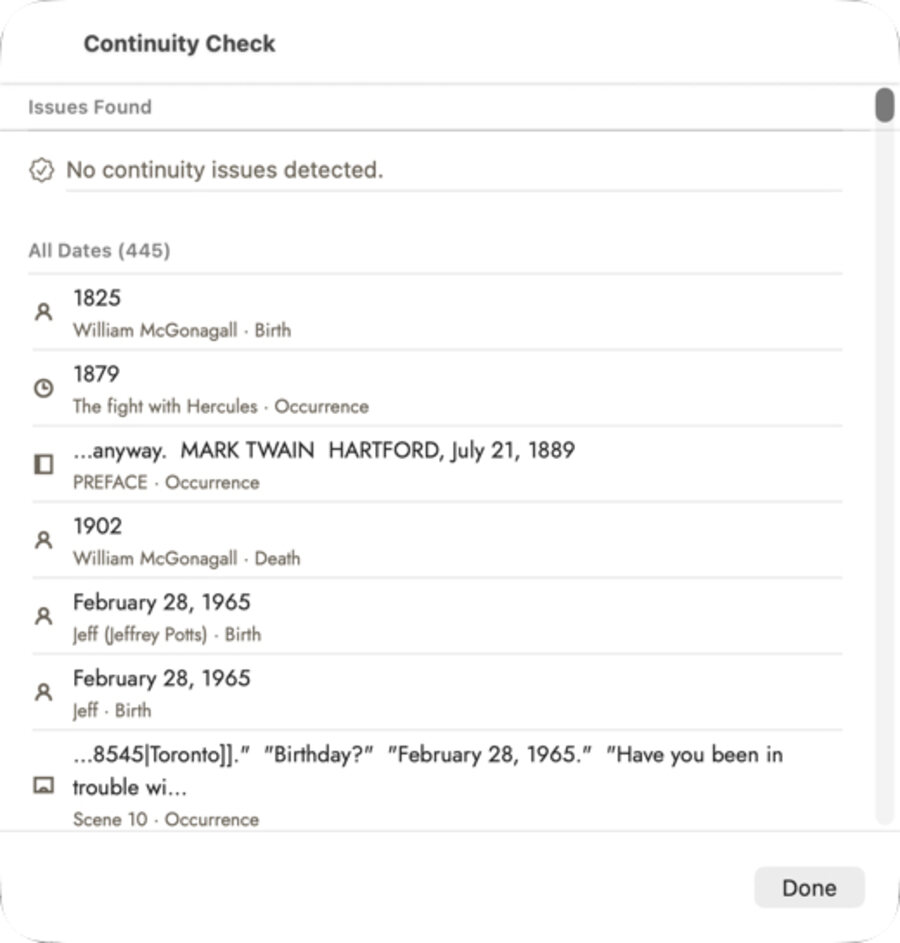
Every date in the manuscript, checked against itself — a clean pass here means no birth, death or scene puts two people in two places at once.
05 — Import and export
Brings what you already have. Leaves how you need it.
Import from Scrivener, yWriter, novelWriter, Plottr, Aeon Timeline, EPUB, Word, Markdown or a bibliography file, or a whole folder of files the way Ulysses, iA Writer, Obsidian and Bear keep a book, and the structure comes across with the text. Export to ePub, PDF, Vellum, DOCX, RTF, Markdown, Scrivener, Plottr, Aeon Timeline, a clean Shunn-standard manuscript, or a full JSON project backup — everything comes in and everything goes back out. The everyday formats sit on the menus; the rest, each with its own options, are one window away.
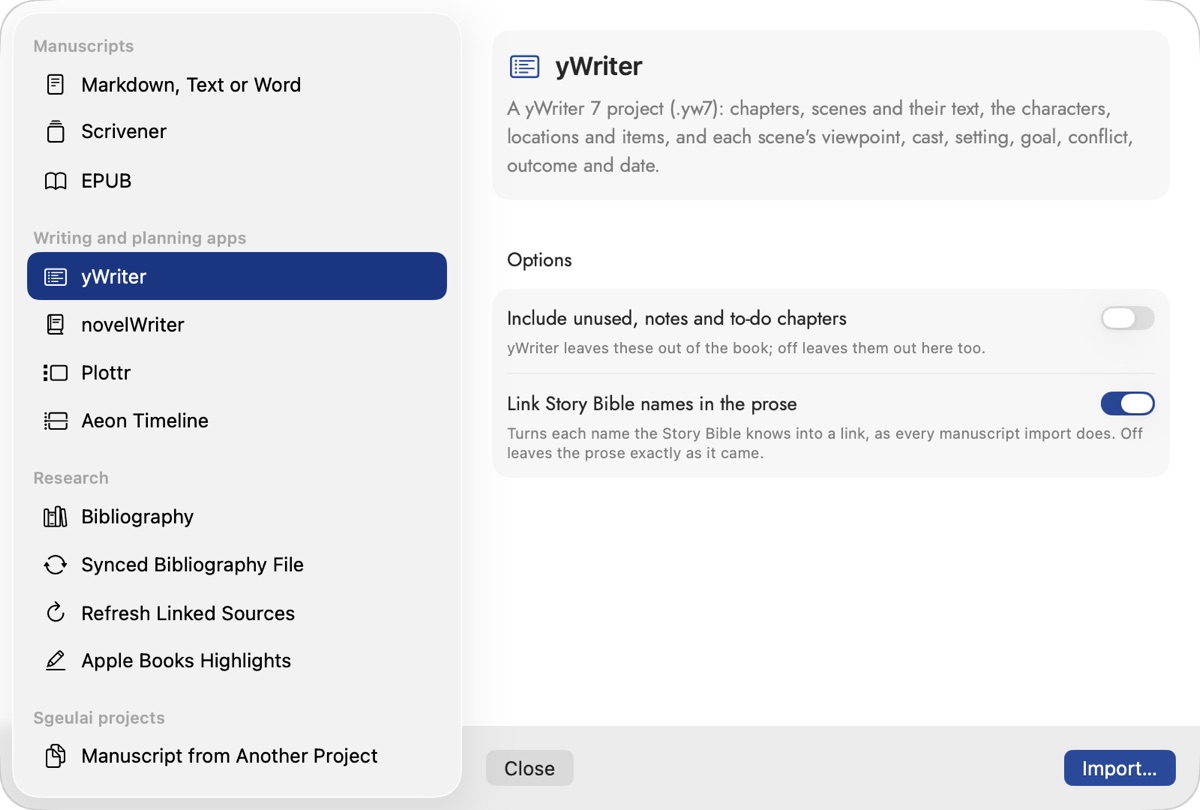
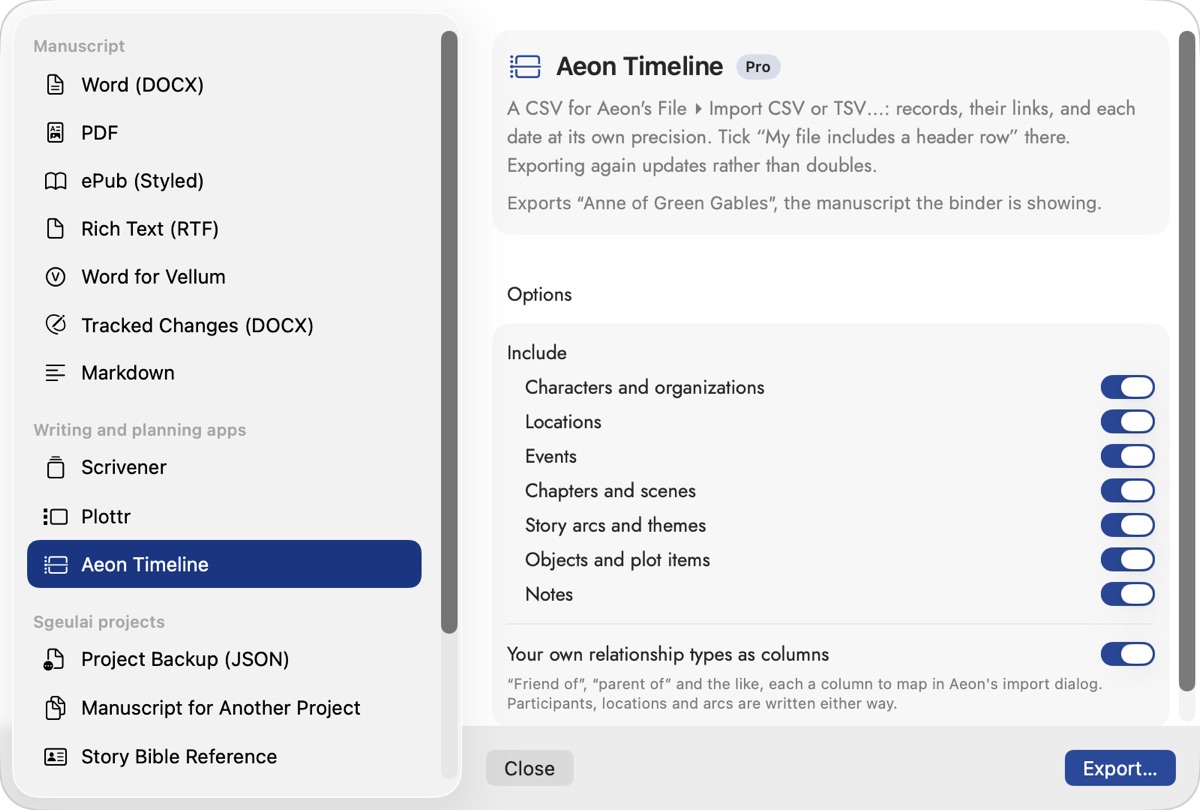
Import on the left, export on the right — nothing arrives locked in, and nothing leaves locked to Sgeulai either.
More detail than fits on a page.
The help documentation covers every one of these in full — including the smaller tools that didn't make this list.